Why Structured Data Matters for SEO — and How to Get It Right in WordPress
JSON-LD makes page content easier for search engines to interpret. Our free WordPress plugin helps teams keep FAQ markup accurate without maintaining JSON by hand.

A website can explain its products, services, and policies clearly to a visitor, yet leave search engines to work out what each piece of content means.
Is this page an article, a product listing, an event, or a set of common questions? The words on the page provide clues. Structured data makes some of those details explicit.
That is why JSON-LD deserves a place in a sound SEO setup. It will not rescue weak content or send a page to the top of Google on its own. But it gives search engines a consistent way to read facts about the content you have already published.
For WordPress sites, the harder part is often keeping that data correct as pages change. We built Renderbit FAQ Structured Data to make one part of that work easier: managing FAQ schema across a site without editing JSON by hand.
What exactly is JSON-LD?
Structured data describes a page using a shared vocabulary, usually Schema.org. JSON-LD (JavaScript Object Notation for Linked Data) is one way to write that description. Google recommends JSON-LD for most sites because it is easier to add and maintain than markup mixed into the visible HTML.
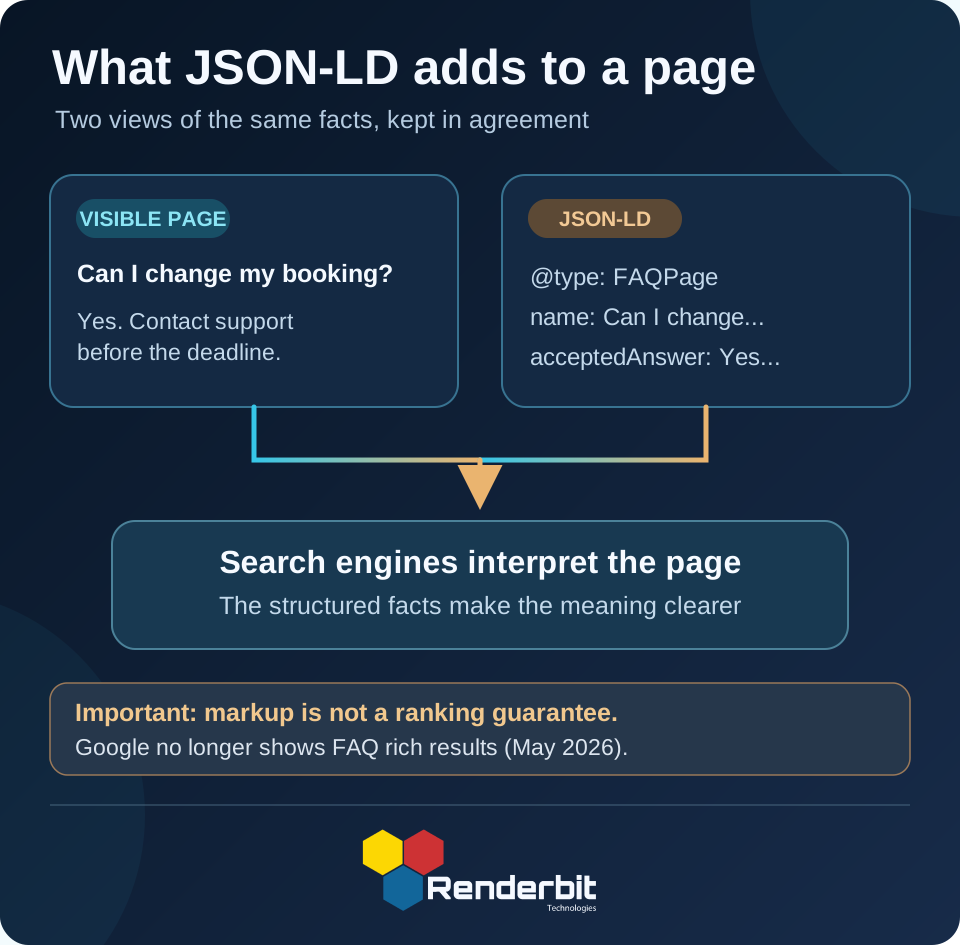
Take a page that answers a customer question. Its structured data might look like this:
<script type="application/ld+json">
  {
    "@context": "https://schema.org",
    "@type": "FAQPage",
    "mainEntity": [
      {
        "@type": "Question",
        "name": "Can I change my booking?",
        "acceptedAnswer": {
          "@type": "Answer",
          "text": "Yes. Contact our support team before the booking deadline."
        }
      }
    ]
  }
</script>
Visitors do not see this script. They see the question and answer in the page itself. The JSON-LD tells a system that the content is a question with an accepted answer, using defined fields instead of relying on guesswork.
JSON-LD is not limited to FAQs. Other Schema.org types can describe an organization, article, product, recipe, event, or breadcrumb trail. Each type has its own fields and search-engine rules.
Why does structured data matter for SEO?
There are three practical reasons to care:
- Clearer meaning. Structured data labels specific facts and the links between them. Google says it uses this information to understand page content.
- Access to supported search features. Some schema types can make a page eligible for richer search displays, such as product details, recipe information, or event listings. Eligibility depends on the markup, the page, and Google’s current support. It does not guarantee a rich result.
- A more consistent publishing process. When a site uses a defined structure for important facts, teams can check what they publish and update it with less manual work.
There is an important limit: structured data is not a direct ranking shortcut. Good content, useful pages, crawlability, and the rest of technical SEO still matter. The markup must also describe content that visitors can actually find on the page. Google’s structured data guidelines warn against misleading or hidden content.
The WordPress problem: keeping FAQ markup in sync
Adding a JSON-LD script to one page is simple enough. Keeping it accurate across dozens or hundreds of pages is less pleasant.
Consider a company site with FAQs on service pages, product pages, and support articles. A pricing policy changes. The same answer appears on several pages. Now the team needs to update the visible text and every copy of the structured data. If one copy gets missed, the page may say one thing while its markup says another.
You could build custom fields, templates, and cache rules to manage this. But for many WordPress teams, that is far more work than the content itself warrants.
This was the problem we wanted to solve with Renderbit FAQ Structured Data, our free, open-source WordPress plugin.
How Renderbit FAQ Structured Data works
The plugin gives FAQs their own place in the WordPress admin area. You create each question and answer as an FAQ item, then decide which pages it applies to.
An FAQ can be associated with:
- Specific posts or pages
- URLs on your WordPress site
- Selected post types
- Taxonomy terms, such as categories
- The site globally, when the same FAQ genuinely applies everywhere
On a matching post, page, or custom post type, the plugin builds a FAQPage JSON-LD block with Question and acceptedAnswer entries and adds it to the page’s <head>. It does not add FAQ markup to archives, search results, or the blog index.
For larger WordPress sites, we also put work into what happens behind the scenes:
- One place to edit FAQs. Update an FAQ item instead of maintaining separate JSON scripts on each page.
- Indexed associations. A dedicated database table helps the plugin find the FAQs linked to each page.
- Per-page caching. Generated JSON-LD is cached, with automatic invalidation when FAQ content or associations change.
- Background updates. When one FAQ affects many pages, a WP-Cron queue processes cache invalidation in batches.
- Operational tools. A health screen and WP-CLI commands help teams inspect the queue and clear or rebuild cached output.
- WordPress multisite support. The plugin handles site-level activation, updates, and cleanup across a network.
The plugin source code is public on GitHub, so developers can check how the output and cache logic work.
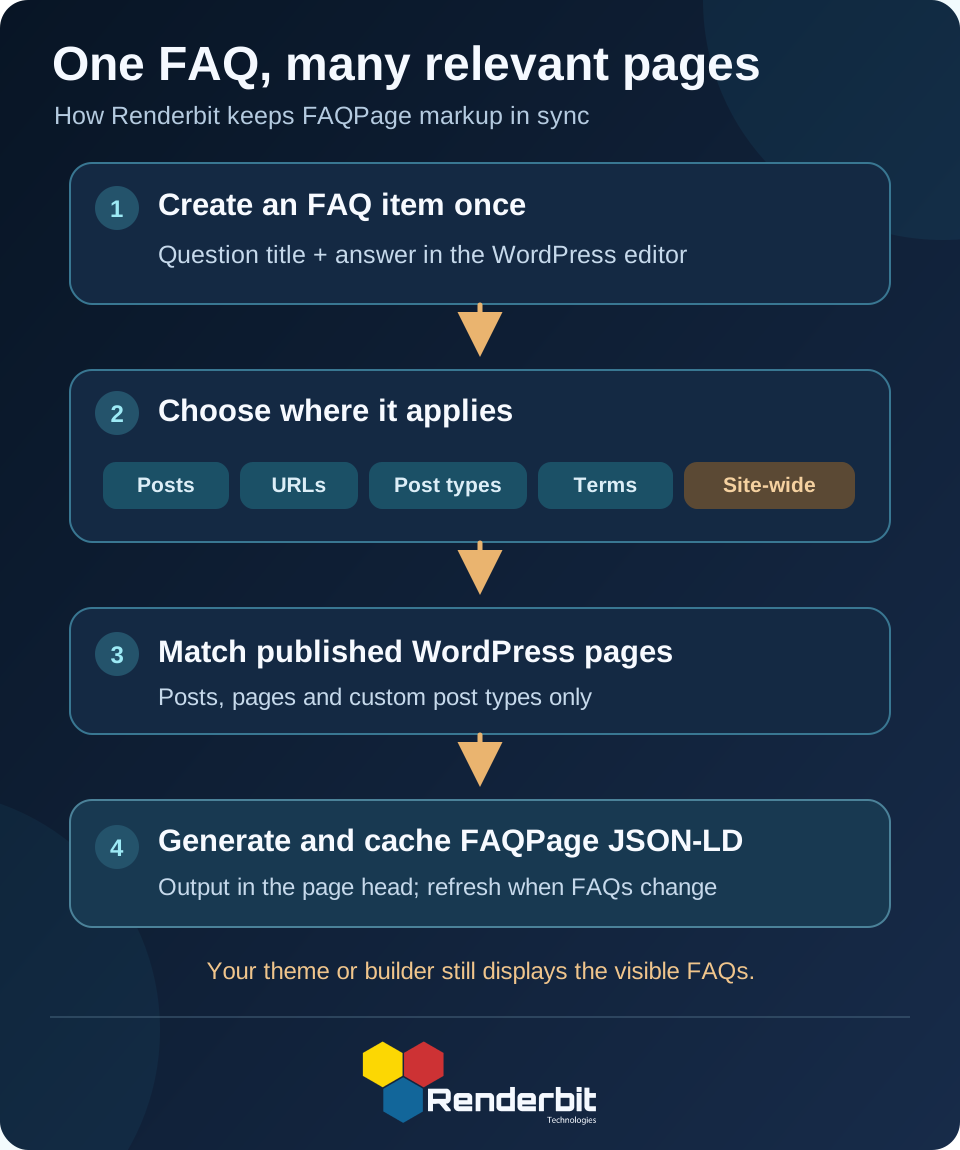
One distinction matters: the plugin generates structured data, not the visible FAQ section. Your theme, block, or page builder must still show the relevant questions and answers to visitors. The schema should match that visible content.
Getting started in WordPress
You can set up your first FAQ in a few steps:
- In your WordPress dashboard, open Plugins → Add New, search for Renderbit FAQ Structured Data, then install and activate it.
- Go to FAQ Items and add a question as the title, with its answer in the editor.
- In Associations & Output, choose the posts, URLs, post types, or terms where that FAQ belongs. Publish the FAQ item.
- Make sure those pages also display the same question and answer to readers. Avoid broad or global associations unless the content appears wherever the schema does.
- Open one of the published pages, inspect its HTML source for
application/ld+json, and check theFAQPagedata with the Schema Markup Validator.
You can adjust the cache lifetime and invalidation batch size under FAQ Items → Settings. Most smaller sites can start with the defaults.
A timely note about FAQ results in Google
SEO advice changes, and FAQ schema is a good example of why that matters.
Google first restricted FAQ rich results largely to well-known government and health sites in 2023. Then, as of May 7, 2026, Google stopped showing FAQ rich results altogether, as noted in its Search documentation updates.
So installing an FAQ plugin today will not give an ordinary WordPress site expandable FAQ snippets in Google Search. It would be misleading to promise that outcome.
The wider case for structured data remains: Google still uses supported markup to understand content, and other schema types still power search features. Our plugin has a deliberately narrow role. It helps WordPress teams create and maintain standards-based FAQPage markup accurately; it does not generate Product, Article, Organization, or other schema types, and it does not promise rankings or search appearances.
The right reason to use it is to keep the FAQ data on your site clear, consistent, and easy to maintain.
Good SEO is also good content upkeep
Structured data works best when it follows the content rather than becoming a separate task nobody owns. A clear answer should live on the page, its schema should say the same thing, and both should change when the underlying facts change.
That sounds basic. Across a large WordPress site, doing it reliably takes work.
We built Renderbit FAQ Structured Data to remove some of that work for site owners, SEO teams, and developers. It is free, open source, and available through the WordPress plugin directory.
Start with useful questions, write honest answers, and keep the visible page and structured data in agreement. That is a better long-term SEO practice than chasing a search-result feature that may change or disappear.
Related Blogs
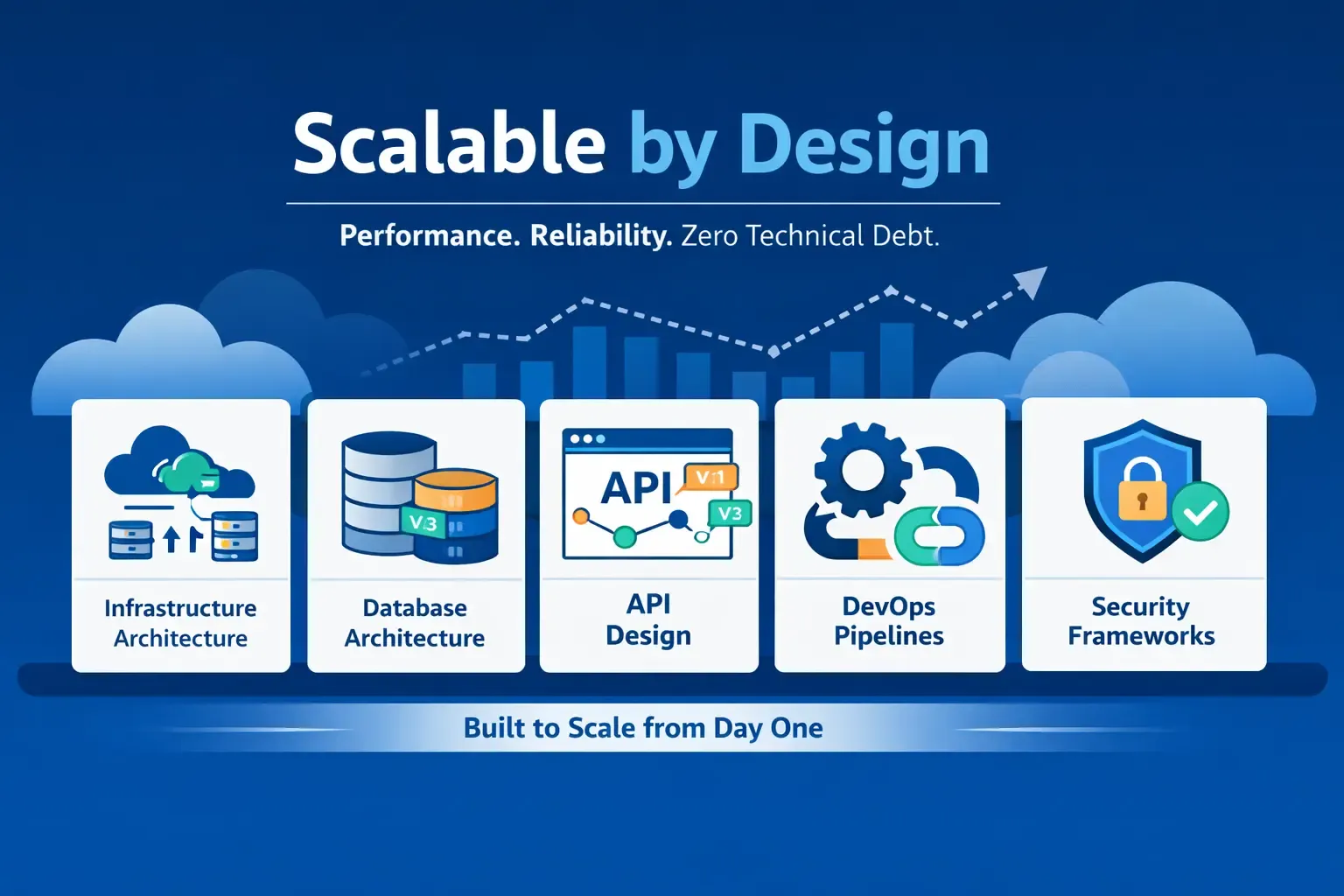
Scalable by Design: Building Cloud-Native Systems Right
Learn how scalable cloud-native architecture eliminates technical debt and ensures performance, reliability, and long-term growth for digital products.
Scalable by Design: Building Cloud-Native Systems Right
Learn how scalable cloud-native architecture eliminates technical debt and ensures performance, reliability, and long-term growth for digital products.

End-to-End Product Development | Full Lifecycle Execution
From ideation to deployment and optimization, Renderbit delivers end-to-end product development with scalable architecture and production-grade execution.
End-to-End Product Development | Full Lifecycle Execution
From ideation to deployment and optimization, Renderbit delivers end-to-end product development with scalable architecture and production-grade execution.
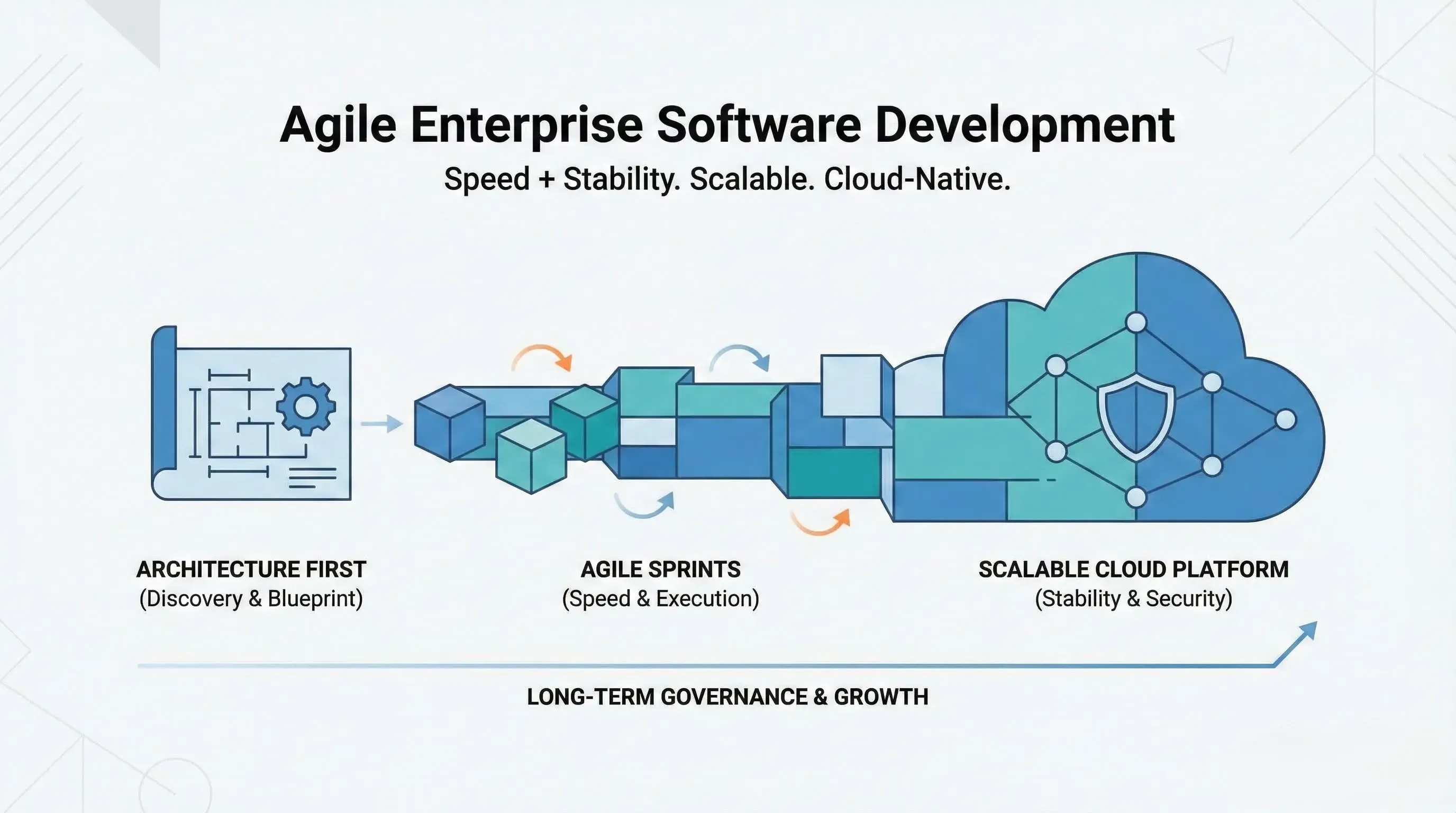
Our Agile Enterprise Software Development Process
Discover Renderbit’s agile enterprise software development process designed for scalable, cloud-native platforms. Architecture-first, DevOps-driven, and built for growth.
Our Agile Enterprise Software Development Process
Discover Renderbit’s agile enterprise software development process designed for scalable, cloud-native platforms. Architecture-first, DevOps-driven, and built for growth.
See Our Work in Action. Start Your Creative Journey with Us!

Renderbit Helper
Welcome!
How can I help you today?